




RPostONE for Outlook enhances Microsoft Outlook with AI-infused communications, cybersecurity resilience, digital transaction management, and intelligent content control—all without disrupting the way users already work.
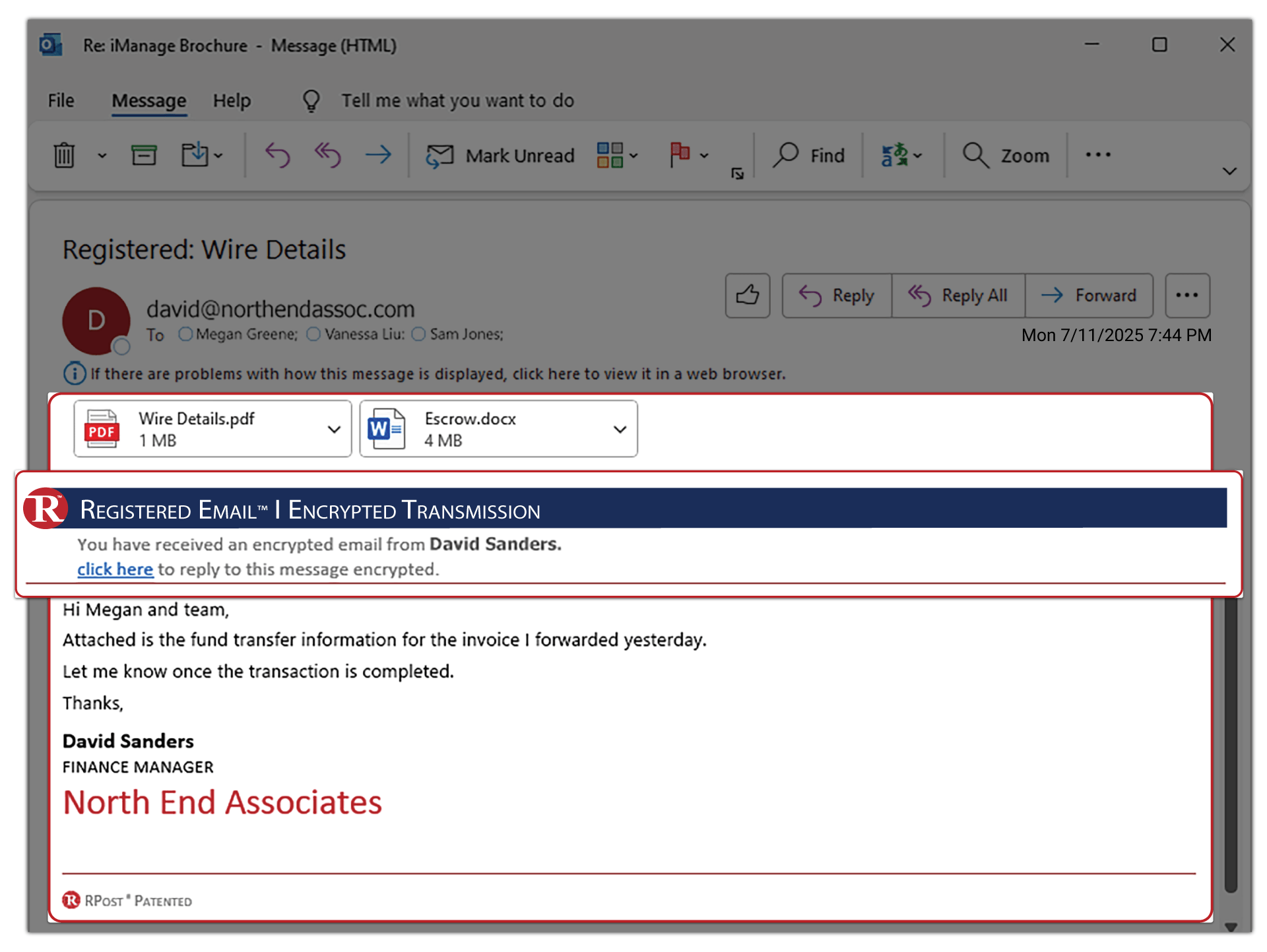
Communicate securely with direct-delivery email encryption, legally admissible proof of delivery, secure large file sharing, eSignatures, and rights-protected documents, while RAPTOR™ AI helps identify threats in progress, reduce human error, and protect sensitive communications before, during, and after delivery.
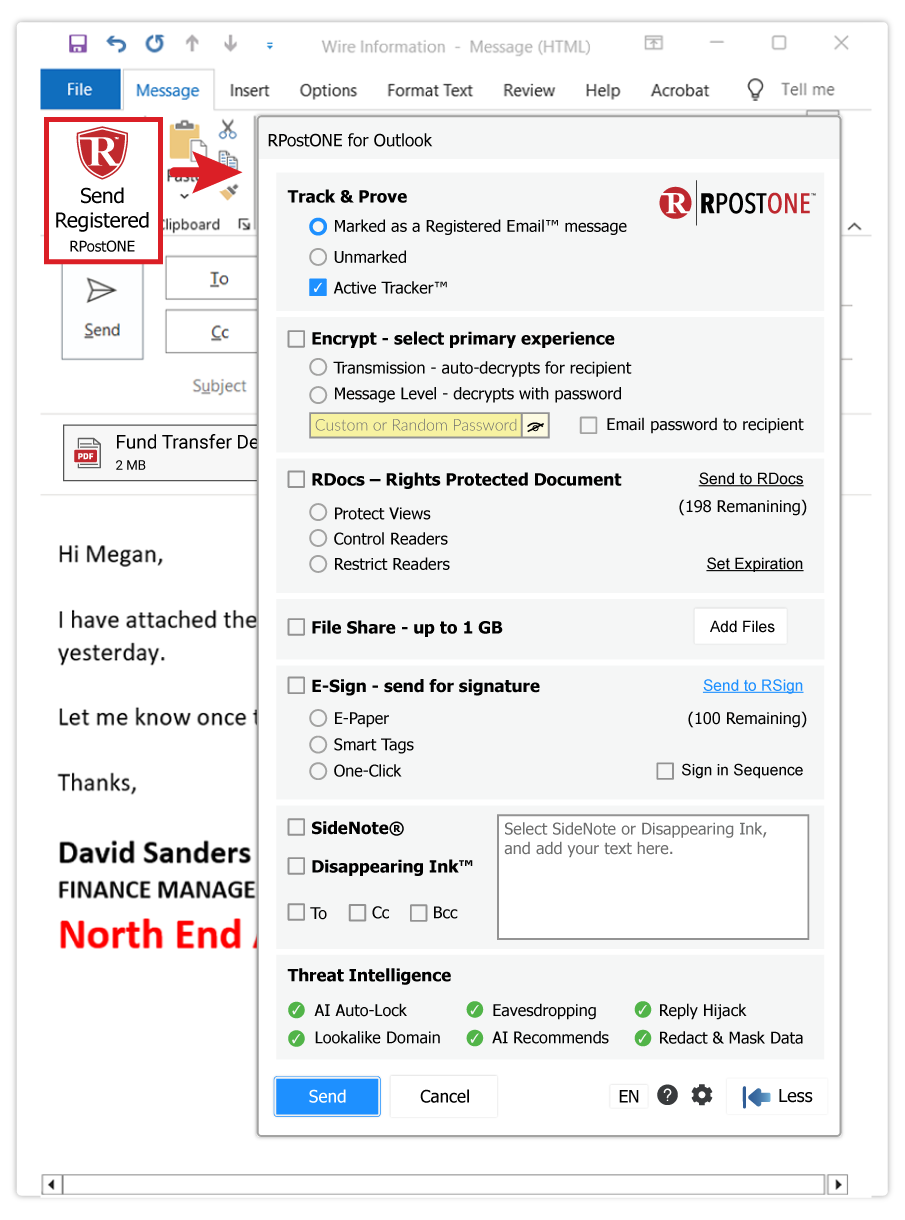
Installing RPostONE for Outlook adds the Send Registered™ button directly to the Microsoft Outlook compose window, providing immediate access to enterprise-grade communication security, compliance, and intelligent content control capabilities.
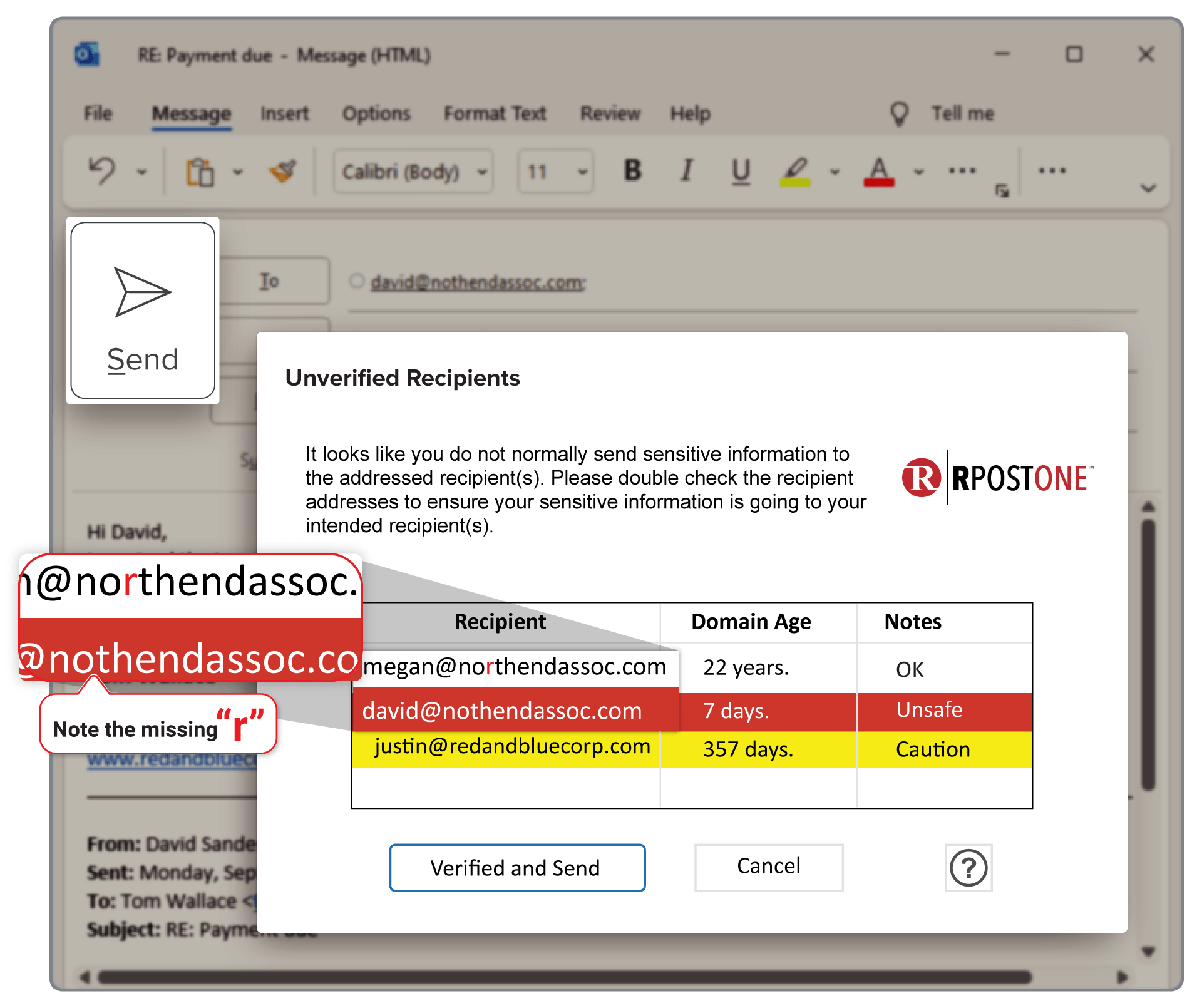
Powered by RAPTOR™ AI, RPostONE for Outlook continuously helps identify suspicious activity, recommend appropriate protection, detect recipient risks, automate security decisions, and help prevent sensitive information from being exposed—all from within Microsoft Outlook.
RPostONE for Outlook uses your default Outlook mail account configured in Microsoft Outlook. Those using the existing app can now upgrade to the latest RPostONE for Outlook.
* Some capabilities may require Professional Services enablement or specific licensing.

Confirm whether your Microsoft Outlook installation is 32-bit or 64-bit.
Note: The Outlook bit version determines which installer to download. Windows can be either 32-bit or 64-bit—the Windows version does not affect the installer you need.
Need help? Visit the Installation Support Center or review the Installation Guide.


We’re helping The Doctors Company keep your doctor focused on cures by simplifying private communications.
Read More
We’re helping Marshall & Sterling support its community of clients by putting more communications assurance into their insurance.
Read More
We’re helping the United Nations’ WIPO protect your intellectual property to maintain order worldwide.
Read MoreEnglish (version 13.0.54)
Danish, Dutch, English, French, German, Italian, Latvian, Lithuanian, Polish, Portuguese, Spanish.
| Operating System | Windows |
| Windows version | 7 (32/64 bit), 8 (32/64 bit), 10 (32/64 bit), 11 (32/64 bit) |
| Office Version | 2010, 2013, 2016, 2019, Office 365 full install (32/64-bit) |
| Function model | Outlook client runs locally or through terminal services |
| Program size | 5MB |
| Program type | Outlook COM Add-In using IDTExtensibility for a shared Add-In. Shimmed to provide an isolated, unique AppDomain. |
| .NET | Framework 4.0 or greater. |
| Install package | Windows Installer MSI. Installs using Visual Studio Installer technology for Windows Installer. |
| Additional applications needed to run or start-up | None |
| Specific application conflicts | None |
| Uninstall | Control Panel, Programs (clean uninstall) |
| Deployment | Single user, user group or company-wide deployment |
| Updates | Manual upgrades only |
| Folder Location | For (32-bit) - C:\Program Files (x86)\RMail For (64-bit) - C:\Program Files\RMail |
| Requirements | Valid inbound and outbound email account. Administrative rights required for installation only. |
| Recommended email format | HTML or plain text (Rich Text not recommended) |
| Licensing | Per user, shared group of users, or usage-based |
| Feature customization | Outlook ‘Options’ panel or Configuration file (XML) |
| “Send Registered” Button location | Above the native Outlook “Send” button. |



 Apps
Apps